Digital Locks for Families with Kids

Browse all 6 products Filter by brand, price and features

Kids lose keys, and a lock mounted at adult height can be hard for them to reach. These digital locks give every child an easy way in, lock the door behind them, and keep a record in the app of when they got home.

The Interlock Assurance

Buy your digital lock with less risk.

Compatibility Checked No-Fit, No-Fee 30-Day Workmanship Guarantee Learn about our assurance

6 products

Buying guide Top picks and how to choose

Family Digital Locks: quick picks

Model Why families pick it From
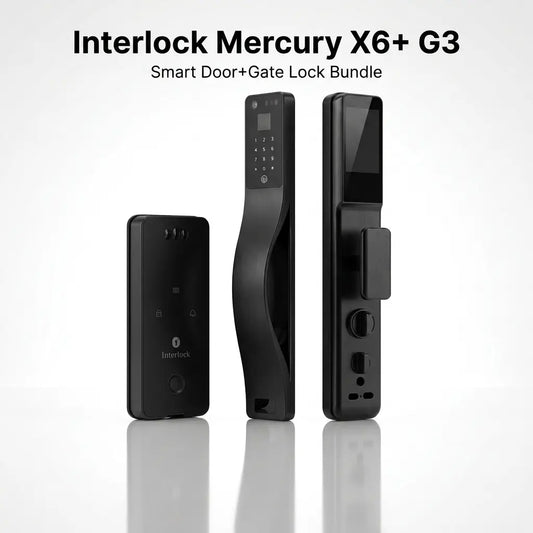
Mercury Door + Gate Bundle No keys needed for the gate or the door, both open in one scan $999
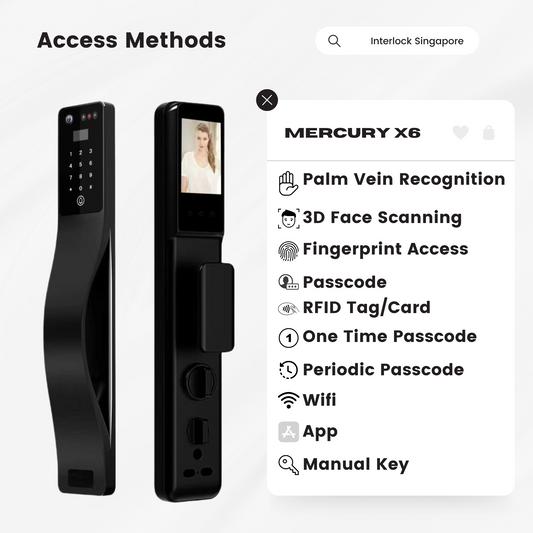
Mercury X6 Palm vein and face unlock, door viewer to check visitors $849
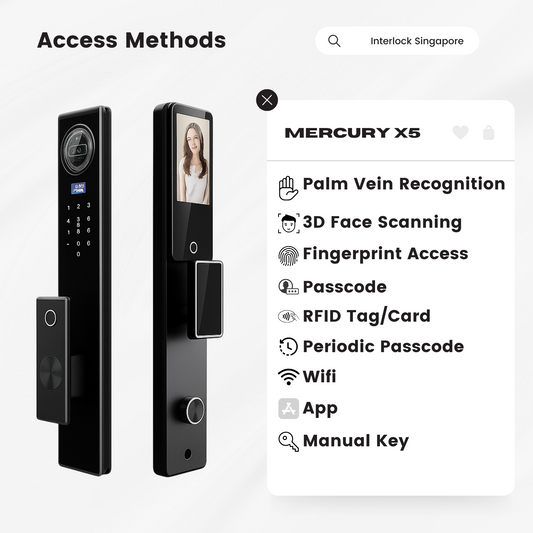
Mercury X5 Palm vein and face unlock at a family price $699
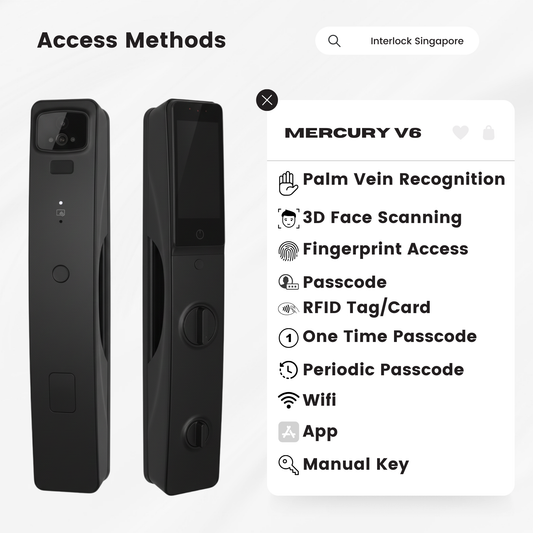
Mercury V6 Palm vein and face, plus alerts if the door is left open $849
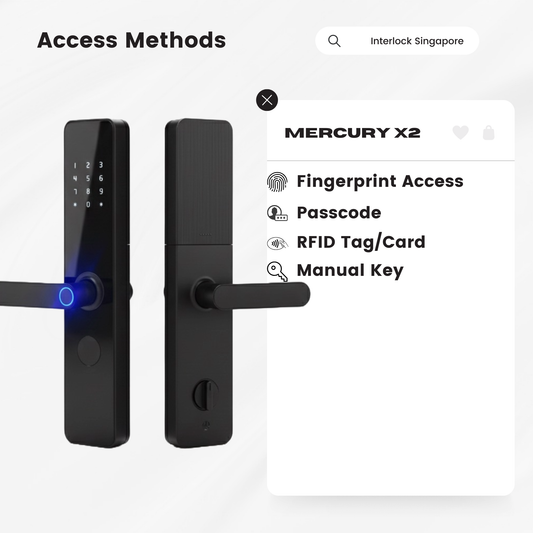
Mercury X2 Fingerprint, PIN and card with no app, at a lower price than the DR900 $549
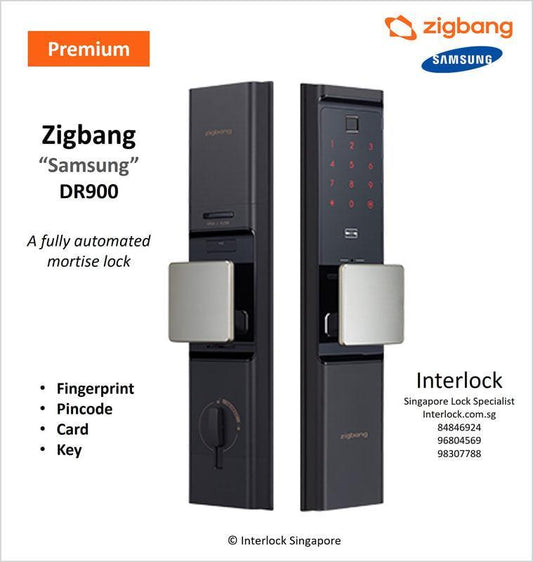
Samsung Zigbang DR900 Fingerprint, PIN and card, fully offline $888

The Interlock Assurance

More Than Just Buying a Digital Lock

We help make sure the lock is suitable for your entrance, properly installed, and supported after installation.

No-Fit, No-Fee Before Installation

We check compatibility before installation. If the planned lock cannot be properly installed onsite and we cannot provide a suitable compatible alternative, you will not be charged for the unsuccessful installation.

30-Day Workmanship Guarantee After Installation

If an issue is confirmed to have been caused by our installation workmanship within 30 days, we will return and rectify the workmanship issue without an additional workmanship charge.

Why Family Digital Locks?

School ends at 1.30pm, you are still at work, and your 9 year old is at the front door. There is no key to lose and no one to call. They raise a hand to the lock, the door opens, and it locks again behind them.

Can your child reach the lock?

Digital locks are mounted for adults, so a keypad or camera can sit a little high for a young child. Palm vein unlock is the one we recommend most for kids: they simply raise their hand to the reader, which makes up for the height. The Mercury X6, Mercury X5 and Mercury V6 all have it.

What families need from a lock

  • No keys for the kids: each child gets their own palm, PIN, card or fingerprint. If a card goes missing, delete it and issue a new one.
  • Auto lock: the door locks itself when it closes, so no one has to remember.
  • Know who came home: on the Mercury X5, X6 and V6, unlocks are logged in the app with a timestamp.
  • Hands-free for parents: face recognition opens the door when you are carrying shopping or a sleeping toddler.
  • See before you open: the door viewer on the X5 and X6 lets older kids see who is outside without opening the door. Video is one-way, so visitors cannot see in.

Which lock for which family

  • Young kids and busy parents: Mercury X6 or X5, for palm vein and face.
  • You want to know what happens at the door: Mercury V6, with door-left-open and lingering alerts.
  • You would rather not use an app: Mercury X2 or Samsung Zigbang DR900, both fully offline.
  • Doing the door and gate together: the Mercury door and gate bundle.

Grandparents and helpers too

If grandparents live with you, see our digital locks for elderly parents. If you have a helper, see digital locks for homes with helpers.

Free fit check

Send photos of your door on WhatsApp and we will recommend a lock that fits your door and your family. Installation is free, by our own team.

FAQ for Family Digital Locks

Q1. Which unlock method is easiest for young kids?

Palm vein. A child just raises a hand to the reader, so a lock mounted at adult height is still within reach. The Mercury X6, X5 and V6 all have palm vein unlock.

Q2. When can my child start using a digital lock?

Palm vein and cards work for young children. Once they can remember a few digits, they can have their own PIN too.

Q3. What if my child loses their card?

Delete the lost card from the lock and register a new one. The lost card stops working straight away, and there is no need to change the lock.

Q4. Can I see when my kids get home?

Yes. On the Mercury X5, X6 and V6, unlocks are logged in the app with a timestamp.

Q5. Is it safe if someone knocks while the kids are home alone?

The Mercury X5 and X6 have a door viewer inside, so kids can see who is outside without opening the door. Video is one-way. When you are out, the doorbell alerts your phone and you can answer from the app.